Registered User Guide
KJV Audio Bible Dashboard Features
A free registered account saves your listening, reading, Bible Journey, book-run, and reading-plan progress so you can continue across visits and devices.
Sign in before you begin. Listening or reading completed while signed out is recorded anonymously and cannot later be transferred to your account.
Continue reading and advance your Bible Journey
The top of the dashboard separates your most recent activity from structured Bible Journey progress. This lets you return to what you were doing without losing sight of the next unfinished Old or New Testament passage.
- 1Pick Up Where You Left Off returns to your latest Bible, search, list, or reading-plan activity.
- 2Your Current Bible Journey counts verses completed through listening or reading.
- 3Continue with the next unfinished Old Testament verse, New Testament verse, or shortest remaining book.
- 4Choose A Book jumps to the complete 66-book progress directory.
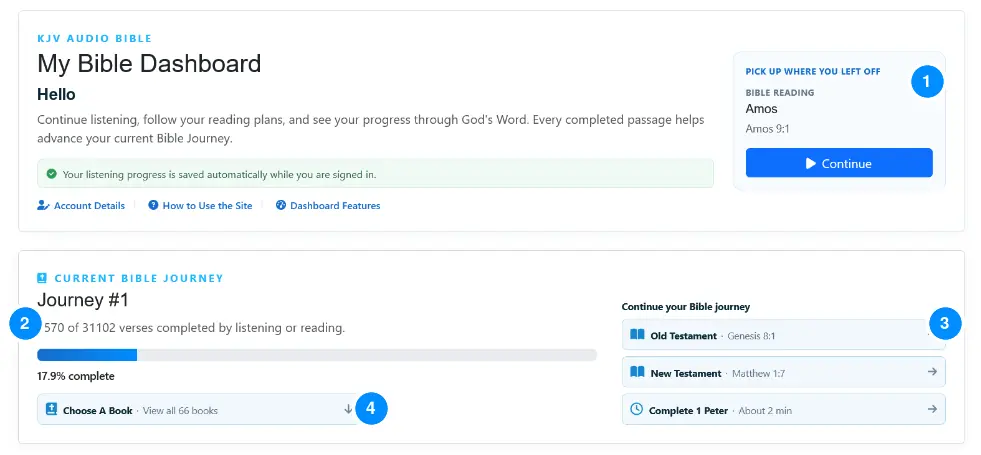
Bible Journey progress is canonical but flexible. You may read books in any order. A verse counts toward the current journey when it reaches the completion level required for that journey.
See totals, plans, and reading preferences
Listening credit is automatic while signed in. Manual and Read Mode tracking are optional so you remain in control of how reading activity is recorded.
- 1At-a-glance totals show listening time, verses played, unique verses read, and complete Bible runs.
- 2My Reading Plans shows the current run, completed sequences, completed runs, and the next sequence.
- 3Enable reading tracking to mark chapters manually; optionally credit verses as they pass through Read Mode.
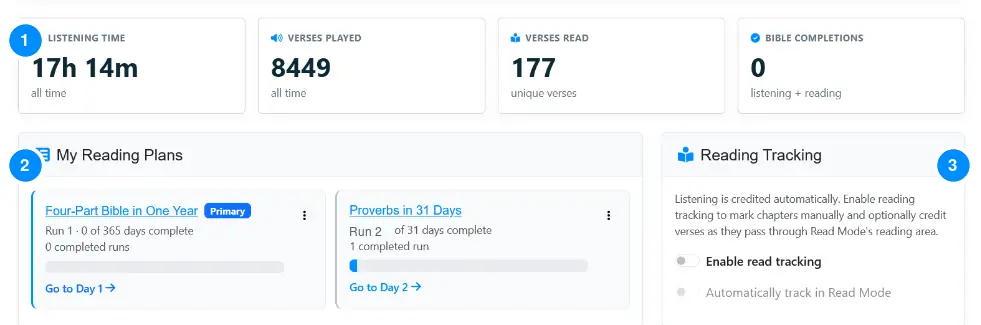 In this example, one completed Proverbs plan run means the active run is Run 2.
Understand Progress by Book
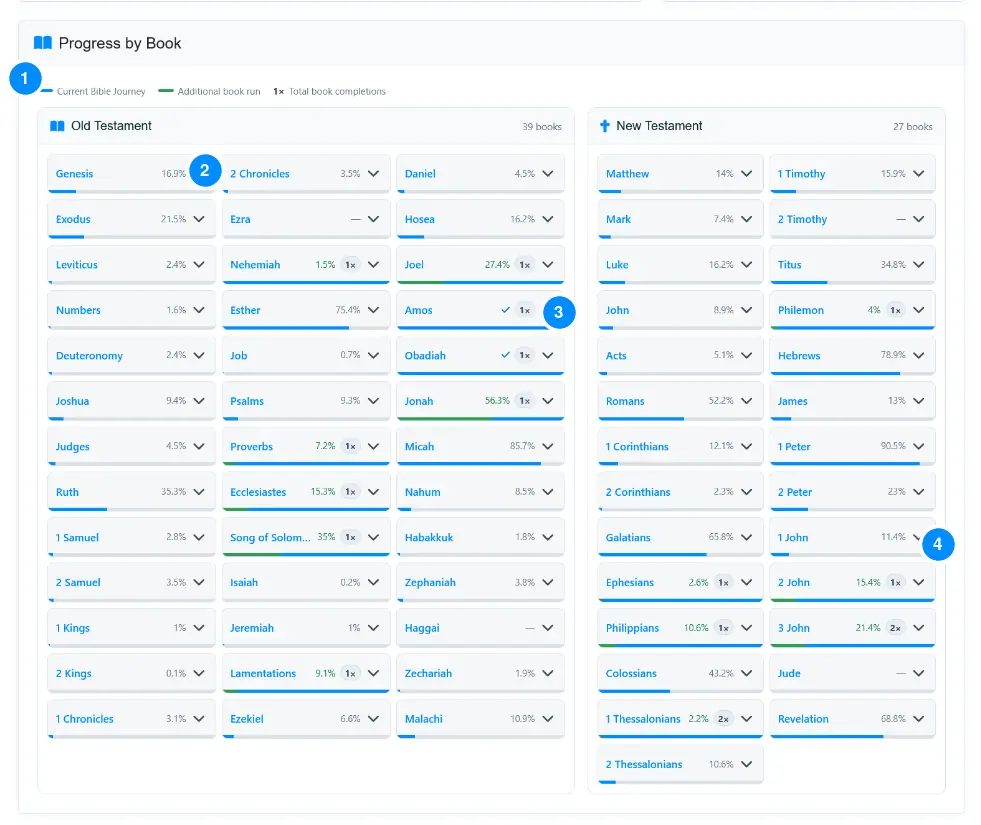
The 66-book directory combines your current Bible Journey with independent repeat runs. It provides a compact visual map of both overall progress and books you return to frequently.
- 1The legend explains blue journey progress, green additional book-run progress, and completion-count badges.
- 2Blue shows the portion credited toward the current Bible Journey.
- 3Green shows progress through the next independent run of a previously completed book.
- 4A 1×, 2×, or higher badge records total complete readings/listenings of that book.
Review recent activity and milestones
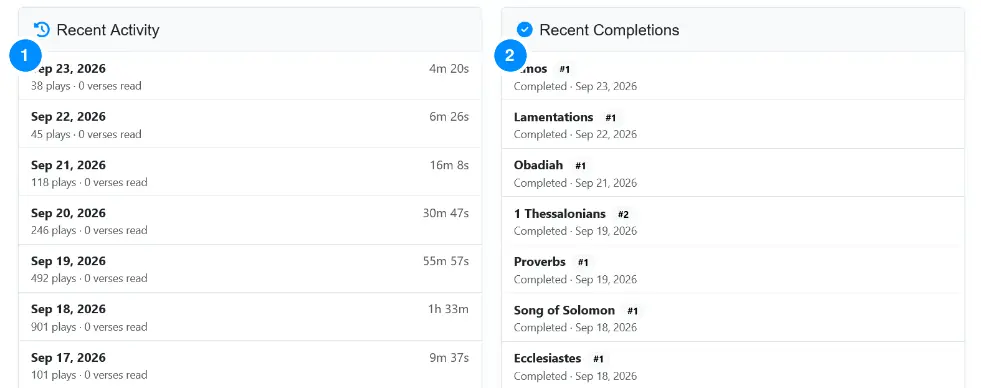
The final dashboard panels provide a simple history of recent use and permanent records of completed books, testaments, and Bible Journeys.
- 1Recent Activity summarizes daily playback time, verse plays, and reading activity.
- 2Recent Completions records the date and completion number for books and larger milestones.
What a free account adds
Automatic listening credit
Completed narration is credited while you are signed in.
Bible Journey tracking
See progress through all 31,102 verses across complete Bible runs.
Repeat book runs
Track how often you complete individual books such as Proverbs or Revelation.
Reading-plan history
Resume the next sequence and preserve completed plan runs.
Continue across devices
Return to your latest location after signing in on another supported browser or device.
Activity and milestones
Review listening time, verse totals, recent activity, and dated completions.